
01 Welcome to the Floor

Handbook
Congratulations on your hire. Server Floor operates a large distribution facility, and your job is to keep it running: work the repairs, move the freight, and handle anything on the floor that management has classified as an ongoing equipment situation. The pay is in gold. The benefits are experience. Both are literal.
This packet covers your first shift and nothing more — the facility does not believe in spoiling its own onboarding. Everything past the first floor is documented, if at all, in the Field Notes.
02 Clocking In
New technicians choose a permanent callsign before reporting to the break room. Existing crew can CLOCK IN with the callsign already on file. HR has misplaced the temporary badges and, briefly, HR.
Your progress saves automatically. You'll wake up in the break room: the safe zone at the heart of the floor. Nothing in the safe zone can hurt you. It is the only place in the building with that property.
Press Enter at any time to talk in chat. The other people on your shift are real, and most of them remember their first day.
03 Moving Around
Move with WASD or the arrow keys. Your mouse aims — where the cursor points is where your attacks and tools go. Press B to toggle sprint. It burns stamina, and stamina is also what your swings run on, so budget accordingly.
Zoom with + and -, reset with 0. Your zoom and window layout are remembered between shifts.
04 Staying Alive
Two bars run your life: HP and stamina. When either runs low, disengage. Hold R to recover HP and stamina when the room has stopped trying to kill you.
Keep a med kit on your quick-slot: assign a consumable to Q from your inventory, then press Q mid-fight to use it without breaking stride. If your HP does reach zero, you wake up back in the break room. Workers' comp here is instant, mildly humiliating, and unlimited.
05 Dispatch & Repairs
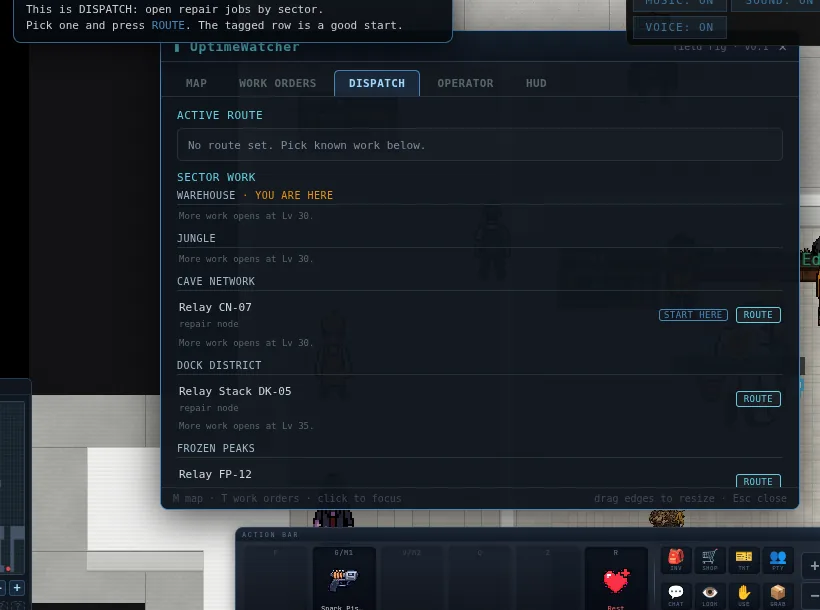
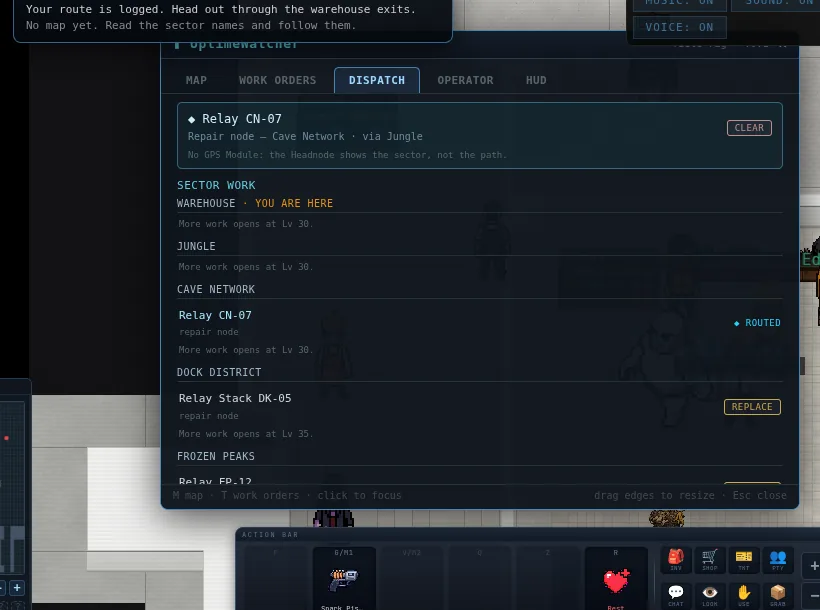
Press T for UptimeWatcher DISPATCH. New technicians begin with sector directions, compass text and a world-map route. Repair the first Cave relay to reach Known standing and earn the GPS module; install it when you want cyan breadcrumbs.
DISPATCH lives on the UptimeWatcher laptop, a draggable window like the rest. Route a job and its sector shows in your Headnode cuff and on the compass until you get there.
E is your do-the-thing key everywhere: work the repair, talk to the vendor, climb into the forklift, use whatever's in front of you. When in doubt, stand next to it and press E.
06 Company Equipment
The floor's equipment situation will find you before your first ticket is done. Swing whatever requisitions issued you with F — or simply walk into the problem, which counts as a swing and is frankly the house style. Each weapon has its own rhythm; you'll feel it after a few swings.
Soon you'll carry gadgets — company-issue field tools in two slots. Fire slot one with G or left click, slot two with V or right click; hold to keep firing. What the gadgets are is between you and requisitions, but the orientation packet is legally required to state that at least one of them is a flamethrower.
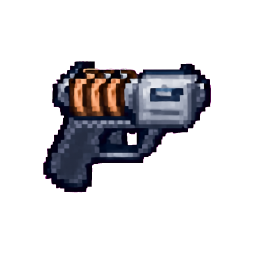 Spark Pistol
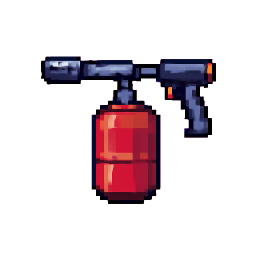 Flamethrower
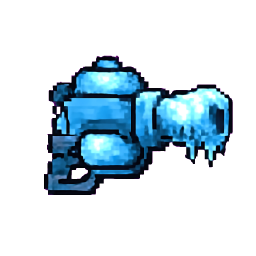 Cryo Cannon
 Gravity Well
07 Your Locker
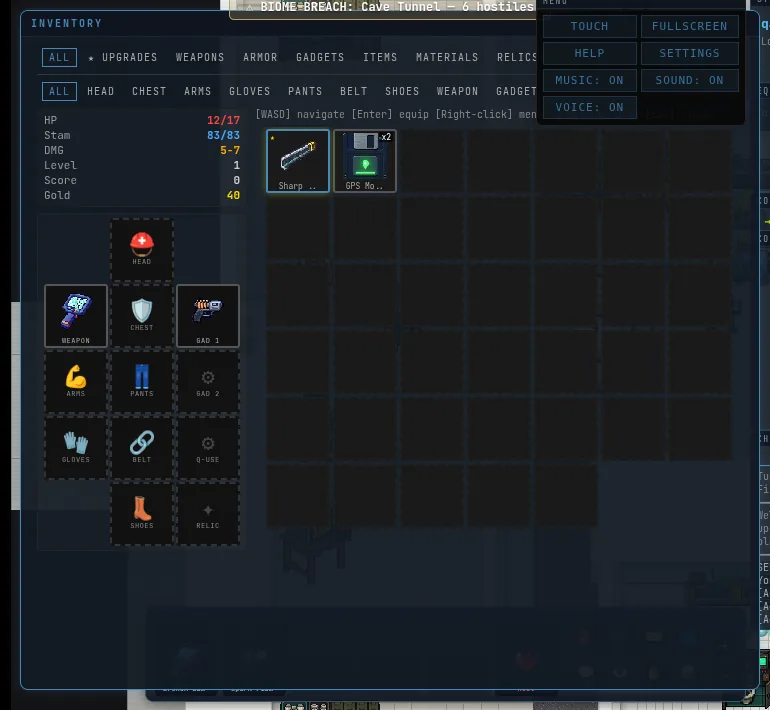
Press I for your inventory — a floating window you can drag anywhere by its title bar. A green border means it has your keyboard; click outside to set it aside and keep playing with it open. Hover any item for its full story, drag it onto your paper-doll to equip it, and watch for the ★ — that's the floor telling you an item in your bag beats what you're wearing.
Everything else works the same way: vendor, party (P), the UptimeWatcher laptop — draggable windows that remember where you put them. Esc closes only the focused window, because closing everything at once is how accidents happen.
08 Phones & Tablets
The whole game runs on touch. Tap the Touch button on the game screen: your left thumb gets a movement joystick, your right thumb gets an aim joystick, and the ATK / G1 / G2 buttons pick what the right stick fires. A utility row covers inventory, chat, and rest. Long-press any item for its menu.
It's the same shift, the same floor, and the same shared world as the desktop crew — just with your thumbs.
09 Your First 15 Minutes
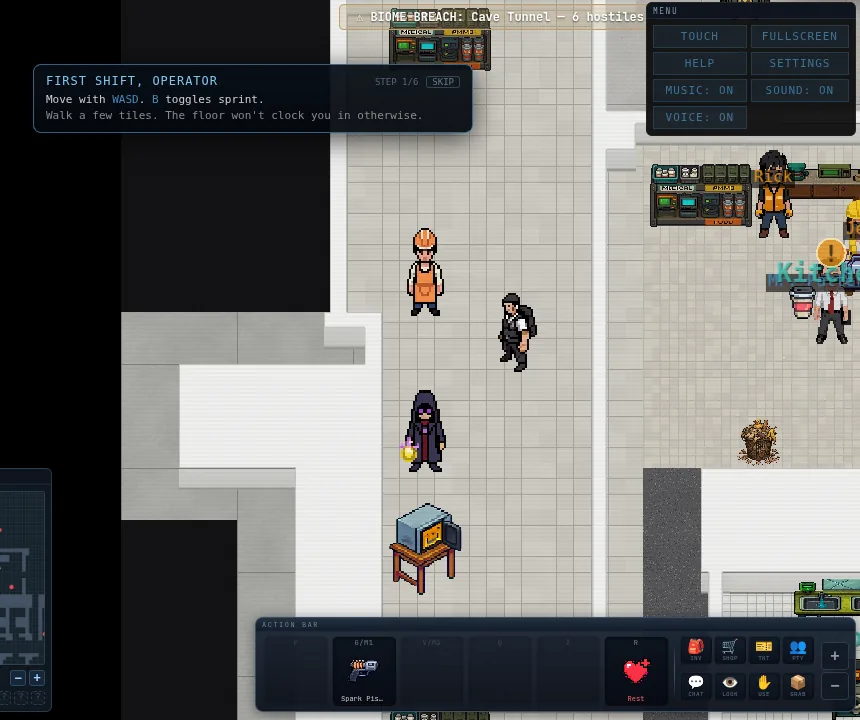
New technicians get a six-step coach in the corner of the screen. It never stops the game, and SKIP means it.
| 1/6 | Move. WASD a few tiles. The floor won't clock you in otherwise. |
| 2/6 | The action bar. F swings what you're holding, G fires gadget one. The bar along the bottom shows what's in each slot. |
| 3/6 | Inventory. I opens your locker. Equip anything with a ★. |
| 4/6 | Headnode slots. The empty slots on your cuff are earned in the field, not bought. |
| 5/6 | Work order. T opens DISPATCH. Choose the job tagged START HERE and route it. |
| 6/6 | Clock out of the safe zone. Follow the route through the warehouse exits until you stand in an overland sector. |
The first START HERE job is a Cave relay. Repair it and the Cave Network lists you as Known, which comes with a GPS module. Install it into your Headnode and the route draws itself in cyan breadcrumbs. Assign a med kit to Q the moment you own one.
10 Key Reference Card
The short card. Press H in-game for the complete reference — this page stays deliberately first-shift.
| Key | Action |
|---|---|
| WASD / Arrows | Move |
| B | Toggle sprint (stamina) |
| Space | Jump / swim stroke |
| F / walk into it | Melee attack |
| G / Left click | Gadget 1 (hold to keep firing) |
| V / Right click | Gadget 2 |
| Q | Quick-use consumable |
| Z | Use relic |
| R (hold) | Rest — recover HP & stamina |
| E | Interact — repair / vendor / use the thing in front of you |
| C | Pick up / carry |
| L | Look |
| T | UptimeWatcher DISPATCH |
| M | Map |
| I | Inventory |
| P | Party |
| [ | Scoreboard |
| Enter | Chat |
| H | Full in-game help |
| + / - / 0 | Zoom / reset |
Addendum, rev. 3.2: for technicians who have survived the first shift and been noticed by management. Optional. Facilities regrets the optional part.
11 Reaching the Station
The Station is a second site, Offsite-1, in orbit. It is not on the map you were issued. You earn it.
- Be level 30. Facilities does not make exceptions. It makes forms.
- Find Dr. Ling at Windbreak Station, in the Frozen Peaks. She has a four-step job for you: a dead uplink on the Glacial Ridge approach that is still transmitting, three repairs, and whatever is guarding the old archive pad.
- Finish the job, then see Teague at the Glacial Ridge pad. Teague transports you up. The first trip issues an ACCESS GRANTED badge and adds the Station to your world map.
Link: the Station Status Board shows every room, what lives in it, and what is still sealed.
12 The Medic Lab
Once you are cleared, a crash anywhere in the game wakes you on a treatment bed in the medic lab. Medic bot RA-1 reads you your status. The vitals monitor beeps less calmly as things get worse.
- Every death comes with a crash report: what took you down, the damage type, and where.
- Every reboot leaves one fault matching the cause. Hardware means less max health, Thermal means slower stamina, Corruption means weaker healing, Signal means longer gadget cooldowns. Minor lasts 2 minutes, major 4, critical 6. Movement is never touched.
- Cures: wait it out, or use a patch or tonic from chemistry (see Chemistry Basics).
- The ward door opens for the Medical implant. A key hidden somewhere in the world also works, for visitors who have only had the glimpse.
Link: Status Board: Medic lab · Faults · Changelog, October 10 · October 18
13 Implants
At the implant bay you can fit or swap a job implant. An implant makes you good at a department. It never locks anyone else out of one.
| Implant | What it does |
|---|---|
| Medical | Six held treatments on the medic beds. Each has a cost to the patient and pay for the medic. Treated patients are Well-patched for five minutes. |
| Engineer | Labels everything and repairs faster. Reads the door jumpers. |
| Logistics | Crates scan in faster. |
Fitting an implant is a procedure, not a menu click. Allow a moment.
Link: Status Board: Medic lab · Engineering: the West wing · Supply Chain: the station as customer
14 Chemistry Basics
The break-room lab is in the Warehouse, not the Station.
- Feed the shredder a creature. It hands back substances by species. Eleven base chemicals; rare ones come from harsher zones. Substances have their own inventory tab.
- Mix at the break-room stations. Shake. Microwave at Low, Medium or High. The fridge. Flash-cool. If you get it wrong, the mixture says what it was missing.
- Open the Recipe Grid. It starts empty. Squares fill in as you discover recipes; near misses leave hints; watching a colleague cook counts. Recipe Notes found in the field teach one recipe each.
- Twenty products: drinks for stamina, patches and tonics that cure faults, and throwables that put out fires, drop smoke, freeze, slow, stun machines or leave burning ground.
15 Receiving
Pallets arrive with a packing slip, a barcode sticker and a serial.
- Claim a pallet with a forklift and unload it to staging.
- Put it away on a rack.
- Hold E to scan the slip against the pallet.
- Stamp it RECEIVE or FLAG. Compliance audits the stamps at the next truck: right calls are paid, wrong ones are fined, three wrong stamps in two hours earn you a notice.
Hover any box for its tag card. A labeller at the receiving desk re-routes a box. The clerk bot stamps what nobody else touches, and not always correctly.
Since October 19 the Station is also a customer. ORDER PARTS files a requisition, Mr. Patterson approves or denies it, and the crew picks, packs and ships cartons into the freight cage on the Shipping Dock. The crate rides the orbital lift up. Someone carries it in by hand and scans it.
Link: Status Board: Receiving · Dock schedule · Station as customer · Changelog, October 16 · October 19